Claim · lookup · same port
The same port each time the app starts.
Give local development apps stable, named port assignments. LocalSlip lets your CLI or supported app integration look up the intended port instead of relying on startup order.
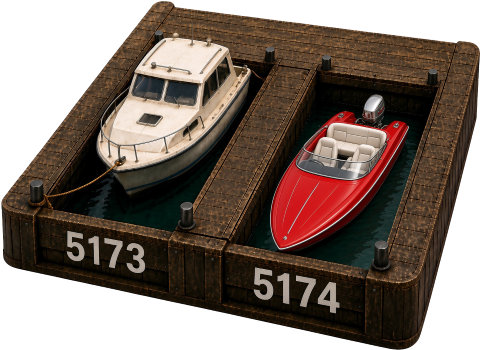
You start a Svelte app. Vite takes 5173. You start a second one. It takes 5174. After a reboot you start them in the other order. The ports swap. Bookmarks, firewall rules, and the phone now hit the wrong app.
Name the port so that does not happen. notes stays on 5173. shop stays on 5174. The app asks LocalSlip for its number instead of hoping Vite picked the same one again.
Claim a port, then make the app read it
Creating a claim does not start or reconfigure the app. Add the integration, then start the app and confirm the printed URL. The app keeps its old port until its config reads the claim.
1. Record the claim.
localslip claim notes --port 5173
localslip get notes
get prints only the port (5173).
2. Make the app read it. In the app's vite.config.ts:
import { execSync } from 'node:child_process';
import { defineConfig } from 'vite';

function localslipPort(name: string, fallback: number): number {
	try {
		const out = execSync(`localslip get ${name}`, { encoding: 'utf8', timeout: 5000, windowsHide: true });
		const port = Number(out.trim());
		return Number.isInteger(port) && port > 0 ? port : fallback;
	} catch {
		return fallback;
	}
}

export default defineConfig({
	// keep your existing plugins
	server: { host: '127.0.0.1', port: localslipPort('notes', 5173), strictPort: true },
});
This example reads the claimed port and binds Vite to 127.0.0.1. A LAN claim records your intended wider bind, but the application must be configured to use that bind separately. This sample does not read the stored host.
strictPort: true makes Vite exit when 5173 is busy instead of moving to 5174. The fallback applies only when localslip get fails, for example when LocalSlip is not installed or the claim does not exist. More in Vite.
localhost is the machine. LocalSlip is the slip. The mechanism is a named registry on this computer (~/.localslip/). It is not DNS, not a reverse proxy, and not an OS port reservation. Another process can still bind the port. You still type the port.
Start and stop also live on LocalHelm. Claim, release, and firewall stay here.
A claim records loopback (127.0.0.1) unless you pass --lan. --lan stores bind 0.0.0.0 and tries to add an inbound firewall allow. It does not start the app or bind the app's socket. The app must honor the stored host and port.
After you install, localslip serve opens the dashboard at http://127.0.0.1:54321.